

If you’re anything like me, you don’t spend too much time thinking about your bank account. As long as your debit card works and the app isn’t a total nightmare, we tend to just go with what we’ve got.
But with so many fintechs popping up in Canada in recent years, each promising better rewards and financial tools, I’ve started to wonder if any of these banking platforms are worth switching to?
Instead of just comparing features on a website, I decided to test two of the most popular debit cards myself. So I moved all of my spending to Koho for a week, then did the same with Neo Money Card, from Neo Financial.
I followed the same spending habits for both accounts and made similar types of purchases, just on two different platforms.
Here are the results!
Improve your credit score with a Neo Secured Mastercard! Plus, sign up now via the button below and get a $60 welcome bonus.
* Limited-time offer. Only valid for new Neo customers who open their first eligible Neo credit product and make a purchase within 90 days.
Koho
Koho Financial is a Canadian fintech app that offers a prepaid Mastercard and a spending account with financial tools and optional cash-back rewards.
I was less familiar with Koho, so I decided to try it out first.
I headed to the Koho website to open an account. It was a seven-step process that required me to provide the usual personal details and set some financial goals. I chose “Spend Smarter” as my main goal for the account.
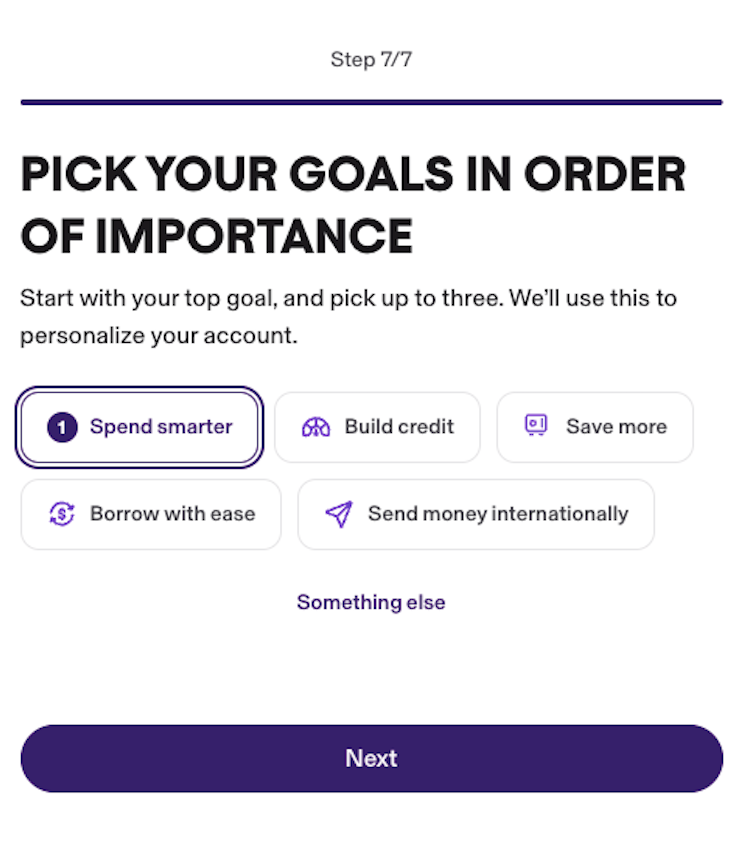
I have to say, I was pleasantly surprised by how smooth the account opening went. The entire process only took seven minutes, from start to finish. That included adding a virtual debit card to my Apple Wallet, so that I could start spending right away. I also ordered a physical card to be sent in the mail.
Adding funds to my Koho account
Once my account was open, it was time to add some money. Koho provides four options for funding your account, as follows:
Now, you’re probably wondering how Koho accepts cash deposits. After all, it’s an online financial institution with no physical branch locations. Well, you can deposit cash at Canada Post locations across Canada! All you need to do is bring your cash to a participating location and have a Canada Post agent scan your QR code in the Koho app. You will need to bring a valid government-issued ID.
The Koho app includes a map of participating Canada Post locations, but there are hundreds across Canada.
I should point out that cash deposits under $150 have a $3 processing fee, unless you’re subscribed to a Koho plan. A $3 fee also applies to all debit card deposits unless you’re on the Everything Plan, in which case it's waived.
How do Koho plans work?
When you open your Koho account, you’ll be asked to choose from three service plans: Essential, Extra, and Everything, with monthly fees ranging from $7-$22/month.
If you don’t choose a plan, your account is considered a Non-Member account. There are no monthly fees, and you’ll earn 0.50% interest on your account balance, but you won’t earn any cash back on your everyday purchases, and you’ll miss out on other perks, such as a free credit score, discounts on credit building, and higher savings interest rates.
But with monthly fees starting at $7, you need to decide whether the service plans are worth the cost. Here’s the plan breakdown:
Koho Service Plans
My week of spending with Koho: How it went…
I’m not a fan of bank fees, but I chose the $7 Essentials plan because I wanted to actually earn cash back. Also, the first 30 days are free, and you can cancel your plan at any time.
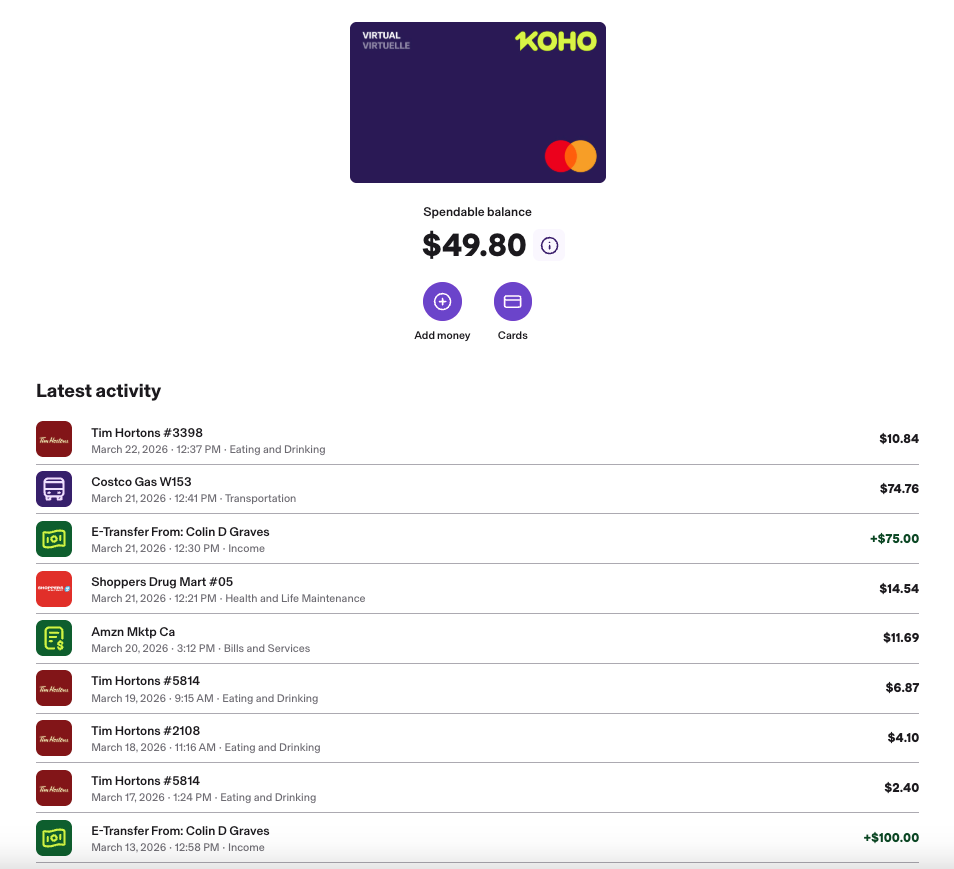
During the week, I deposited a total of $175 via e-Transfer and started spending. Here’s how it broke down:
Looking at the numbers, I earned 1% cash back on all of my eating and dining purchases, and my Costco fuel purchase. My purchases from Amazon and Shoppers Drug Mart were not eligible for cash back.
Neo Financial
After my week with Koho ended, I switched my daily spending to Neo Financial. Neo is another popular Canadian fintech that provides spending and savings accounts with tiered cash-back rewards and partner-based cash-back offers.
Keep in mind that Neo also offers a full lineup of credit cards, including secured credit cards that can help you build credit. But for this experiment, I was just using their Neo Money debit card, which isn't reported to the credit bureaus.
I already had a high-interest savings account with Neo, but in order to get a Neo Money card, I needed to open an Everyday Spending account. As with Koho, the process only took a few minutes. I was able to set up a virtual card and add it to my Apple Wallet immediately, and I later ordered a physical card that would arrive by mail.
Adding funds to my Neo account
Neo’s funding options differ slightly from Koho's. There is no cash deposit option, but you can send money via e-Transfer, set up a direct deposit, move money from another Neo account, or transfer money from a linked bank account. I decided on the latter, and moved $100 from my chequing account at my primary bank.
The downside to this option was that I had to wait a few days for the funds to arrive and become available. But if I were in a rush, I could have just done an e-Transfer.
Here’s a closer look at Neo's deposit options:
My week of spending with Neo: How it went
When it comes to earning cash back, Neo works differently from Koho. Koho’s cash back levels are tied to its service plans. The more you spend on a monthly plan, the more cash back you can earn. But with Neo, there are no monthly plans. Instead, your account balance affects your rewards. The more you hold in your account, the more cash back you can earn. The account itself is always free.
Here’s how the cash back levels break down:
You can also take advantage of additional cash back offers when you shop at Neo partner stores. The cash back offers range from 2% to 15%, depending on the spending category.
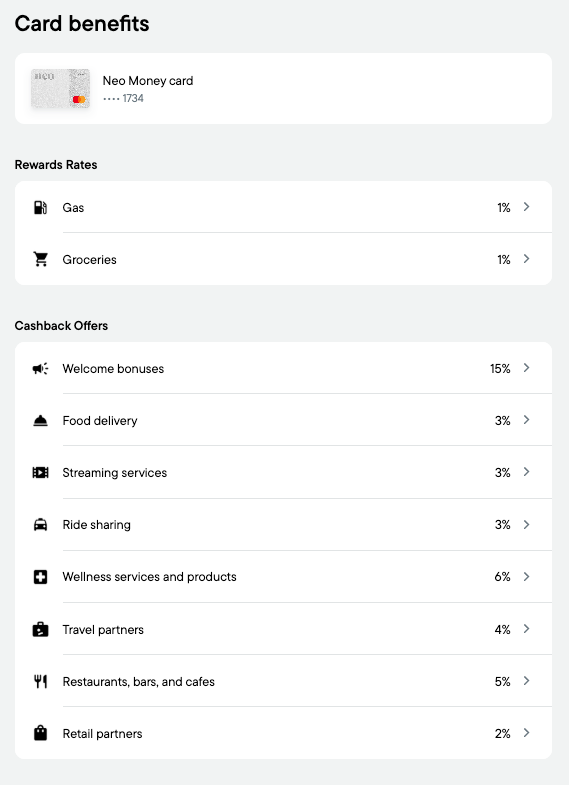
Here’s a closer look at my total Neo spending for the week:
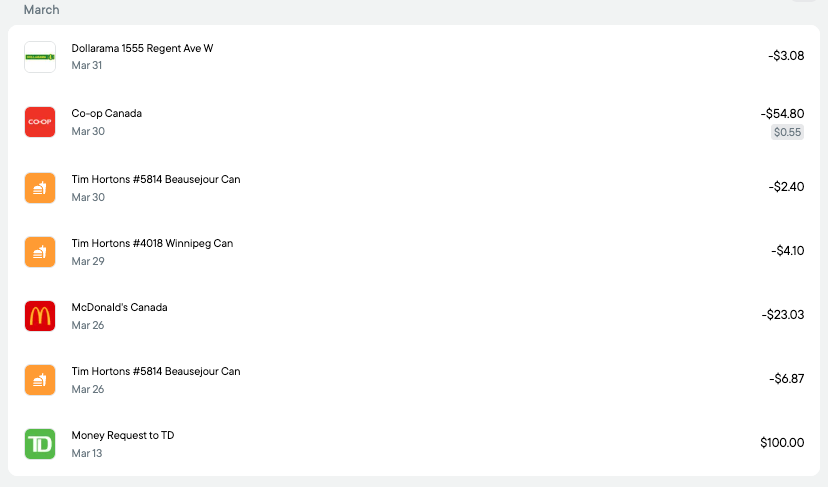
My Neo cash back level is 1% for gas and groceries, and I earned 1% on my $55 Co-op grocery store purchase. But I didn’t have to purchase fuel this week, and unlike Koho, I didn’t earn cash back in the dining/eating out category, aka Tim’s and McDonald's.
For further analysis, let’s compare the two side by side…
Comparing Koho vs. Neo Financial
Summary
Overall, I had a smooth experience with both Koho and Neo. I was able to open both accounts in less than 10 minutes and add virtual debit cards to my Apple Wallet. I did have to wait a few days to spend money with Neo, but that was just because I chose a slower funding method.
I like that Koho offers cash back for food & drinks, and I earned cash back on more transactions as a result. However, I didn’t like that you have to pay a minimum of $7 for a monthly service plan in order to qualify for the cash back. I would need to spend a lot of money each month to justify the added cost. The fee can be waived, but you need to set up a recurring direct deposit or deposit at least $1,000 per month to qualify. If you don’t select a plan, you’ll still get a free account, but you won’t earn cash back.
The Neo Financial Neo Money debit card offers tiered cash back rewards on gas and groceries, with no monthly fee. You can earn up to 3% cash back, but only if you keep at least $10,000 in your Neo Everyday or chequing account. If your balance is under $5,000, you’ll earn up to 1% cash back, while balances between $5,000 and $10,000 qualify for up to 2% cash back.
Both apps offer additional cash-back rewards when you shop at their retail partners, but Neo appears to have more partners than Koho.
Finally, while I didn’t test the credit-building features, both apps offer plan add-ons that they claim can help you boost your credit score.
Koho gives you a small secured or unsecured line of credit and reports your monthly payments to Equifax. You make a small monthly payment, and as long as you’re consistent, your credit score should improve over time.
With Neo, you use a Neo-secured or unsecured credit card, and it reports your payments to Equifax and TransUnion. Neo’s approach is closer to traditional credit-building, but both systems can work if you use them properly.
Ultimately, if I had to choose between Koho and Neo for my day-to-day spending and credit building, I would pick Neo, but that’s just me. The right choice for you will come down to how you spend, and how much you’re willing to pay for extra perks!


